Apple and Google require every app to include a published privacy policy and accurate business contact information. These details are displayed within your app store listing and must be completed before your app can be submitted for review.
Adding Your Privacy Policy
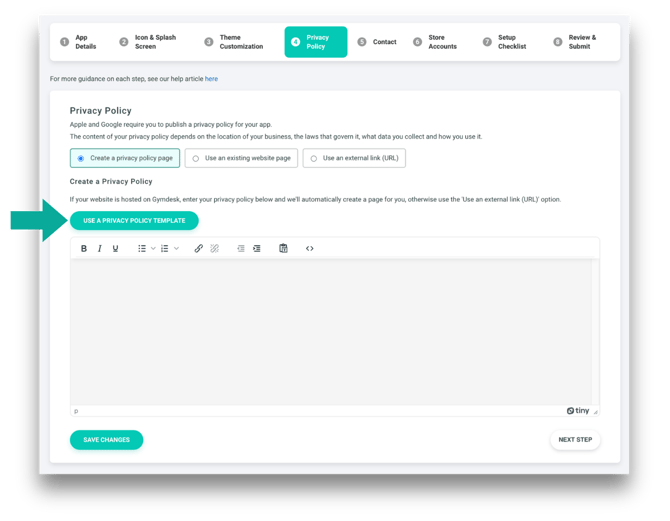
Once your developer accounts are set up, complete this step in Gymdesk by navigating to the Privacy Policy step in Settings → Branded Member App Setup → Privacy Policy.
Here, you will enter the privacy policy that will be displayed in your app store listing. If you already have a privacy policy hosted on your website, you can link to it. If not, you may use the Gymdesk Privacy Policy Template to generate one.
Adding Your Business Contact Details
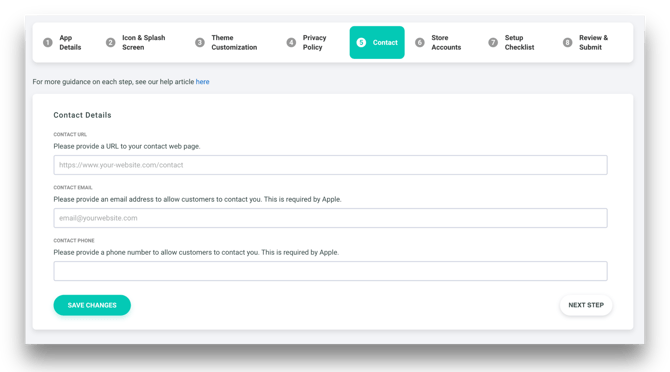
Once you’ve added your privacy policy, complete this step in Gymdesk by navigating to Settings → Branded Member App Setup → Contact Details.
Here, you will enter the business contact information that will appear in your app store listing. Provide a public contact URL and a valid business email address that customers can use to reach you.